

Mifare DESFire keycards are some of the most difficult keycards to clone. As such, they are used in access control, transit, closed loop payments, and many other sectors. Acquiring keys for DESFire cards has been borderline impossible thanks to its robust physical and digital security architecture. However, in recent years, technologies like Android HCE have enabled DESFire emulation on smartphones, allowing for easier distribution and management while integrating almost seamlessly with existing infrastructure.
This technology is what we will be exploiting. To get the card onto your phone, an app like Google Wallet or Samsung Pay needs to request it from a remote service. This provisioning process can easily be intercepted and decoded to reveal both the card data and keys.
VC Card
Before we begin, let’s go over the big difference between an emulated DESFire and a regular one. Android HCE requires something called a DFname to call the card. Once the DFname is successfully called, the regular DESFire commands can be used.
This behavior is also present on EV2 and above DESFire cards as part of the Virtual Card Architecture (VCA). However, VCA should not be confused with VC (Virtual Card), as VCA offers more security features.
Hardware Requirements
Note: You may attempt this guide without a rooted phone, but there is no guarantee that Android will fully trust the MITMproxy root certificate
- Rooted Android Phone with NFC support (Magisk recommended)
- Laptop, PC, or VM with Linux
Play Integrity
To add cards to Google Wallet, your device needs to pass something called Play Integrity. It’s essentially Google’s way of making sure your device’s security is up to its standard. Because your Android is obviously rooted, Play Integrity will fail.
To fix this, you’ll need to tweak a few Magisk settings and install a few modules. Since this is a cat and mouse game, with Google constantly patching its checks, I won’t include a guide in this article. You can instead refer to this XDA topic with the most up to date method: https://xdaforums.com/t/guide-how-to-pass-strong-integrity-on-android-step-by-step-guide.4729435/
MITM
To capture the data, we’ll be using MITMproxy. The easiest method for proxying all the required data is to use the built in Wireguard tunnel on MITMproxy. Start the MITMproxy web interface by entering:
mitmweb
into your terminal. Your web browser will then show a popup with the interface. Go to the capture tab and enable the WireGuard interface.
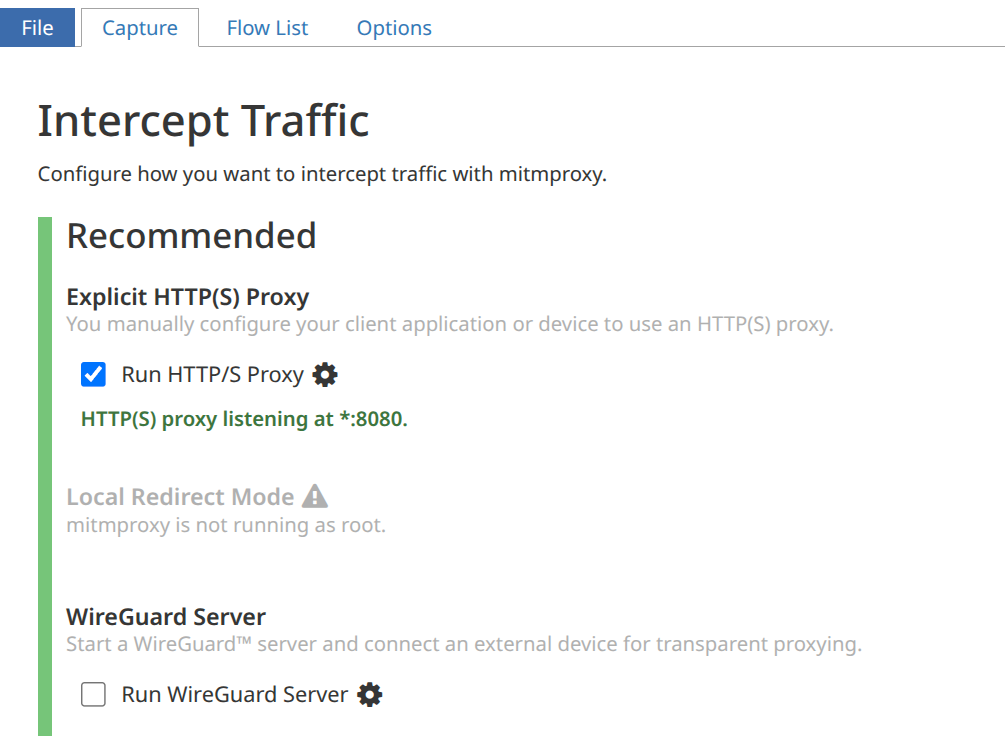
On your phone, install the Wireguard app through your preferred app store or method. Once installed, scan the QR code on mitmweb or enter the details manually. Then enable the VPN. Once you are connected, navigate to mitm.it to download the root certificate. The certificate installation steps will vary based on your Android version. This is a generic guide, but you should search up how to do it for your specific version of Android.
Once the certificate is installed, add the Cert-Fixer Magisk module. The module copies the certificate to the system certificate store so MITMproxy can see all traffic. After installing the module, reboot your phone to finish the certificate copying process. Once you have finished capturing, removing the certificate and then rebooting will clear it from the system certificate store.
Capturing
Once MITMproxy can see all the traffic, start the card provisioning process. You should see a flurry of Google API calls on MITMweb. After the card appears on Google Wallet, you can stop the capture and save the flow using the file button on the top left.
Now comes the fun (and hard) part. You (or an AI) will need to sift through all those API calls to look for the card data. Google loves to use the protobuf encoder to send data, so half of the messages will look like gibberish. Use an online decoder to turn the data into something more readable. It will be extremely obvious when you find the correct piece of data, as it will have:
key-[6 character AID]-[key number]
Somewhere in there. You can then throw this data into the protobuf decoder, and then a base64 decoder, to get a json file with the card data.
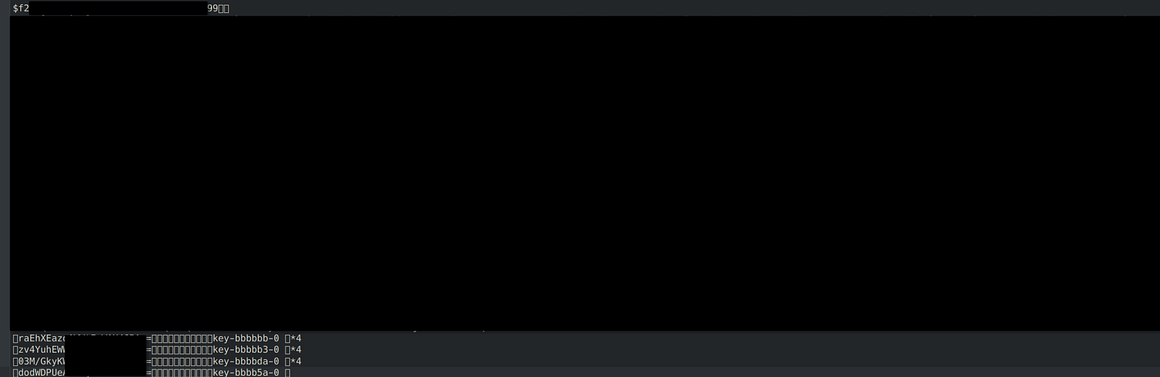
Do note that the card file data and keys are bytes encoded in base64. You can use another online decoder to get the raw hex data.
Cloning
Now that all the required card data has been acquired, you can create a clone and edit the card values. Unfortunately, there are very few DESFire emulators due to its complexity and security. While emulation is technically widespread, with Apple, Google, and other smartphone manufacturers implementing it, 3rd party or open source options are very limited.
Physical
One option is to directly copy it onto a real DESFire card. It’s relatively easy, provided you have the right equipment for reading and writing. An obvious sign of copying, though, is that the card UID will not change. The AIDs can also be accessed without first providing a DFname, and the card is unable to respond to tap to pay calls like the phone.
Device
The only open source DESFire emulation device that I could find was the Chameleon Mini. It’s an old device by today’s standards, and is only able to emulate at low speeds. The Chameleon Ultra, a newer device, has not implemented support for DESFire yet, but the hardware is more than capable.
The same is true for the Flipper Zero. The hardware is capable of full speed DESFire EV1 emulation, but no one has created an app to do so … until now. I’ll soon be releasing ZeroFire, an app capable of emulating both physical and VC DESFires. Preliminary tests show this can be done at low speeds (106 kbits/s) without editing the base firmware. Higher data rates of 424 and 848 kbits/s can be achieved with some changes, but most readers don’t care about speed due to the wide variety of NFC chipsets on phones.
Conclusion
The Mifare DESFire has been around for over 20 years, and its continued security is a testament to just how well it was designed. But with the rise of NFC capabilities in phones, there are now numerous additional attack surfaces for malicious actors to access card data. With access to card data, attackers can perform value manipulation and injection attacks, exposing backend systems as potential entry points in addition to the physical access control risks posed by cloning.
Personal Note:
Hey everyone! Sorry for the radio silence, I’ve been busy looking for an internship these past few months (still haven’t got one (ㅠ﹏ㅠ)). But now that I’m back, the monthly articles will be returning too! I’ve already got a few ideas and projects lined up that I am excited to share with you all soon! Some of these will take a while, though, so I’m also thinking about mixing in some tech/cyber news reports where I can share my thoughts on current developments. Thank you for sticking around!